Application Header & Global Controls
The application header is the top bar shown on every screen in In Time PRO Web after you sign in. It stays in place as you move between areas of the application and gives you quick access to search, appearance, help, and account-related actions without leaving the page you're on.
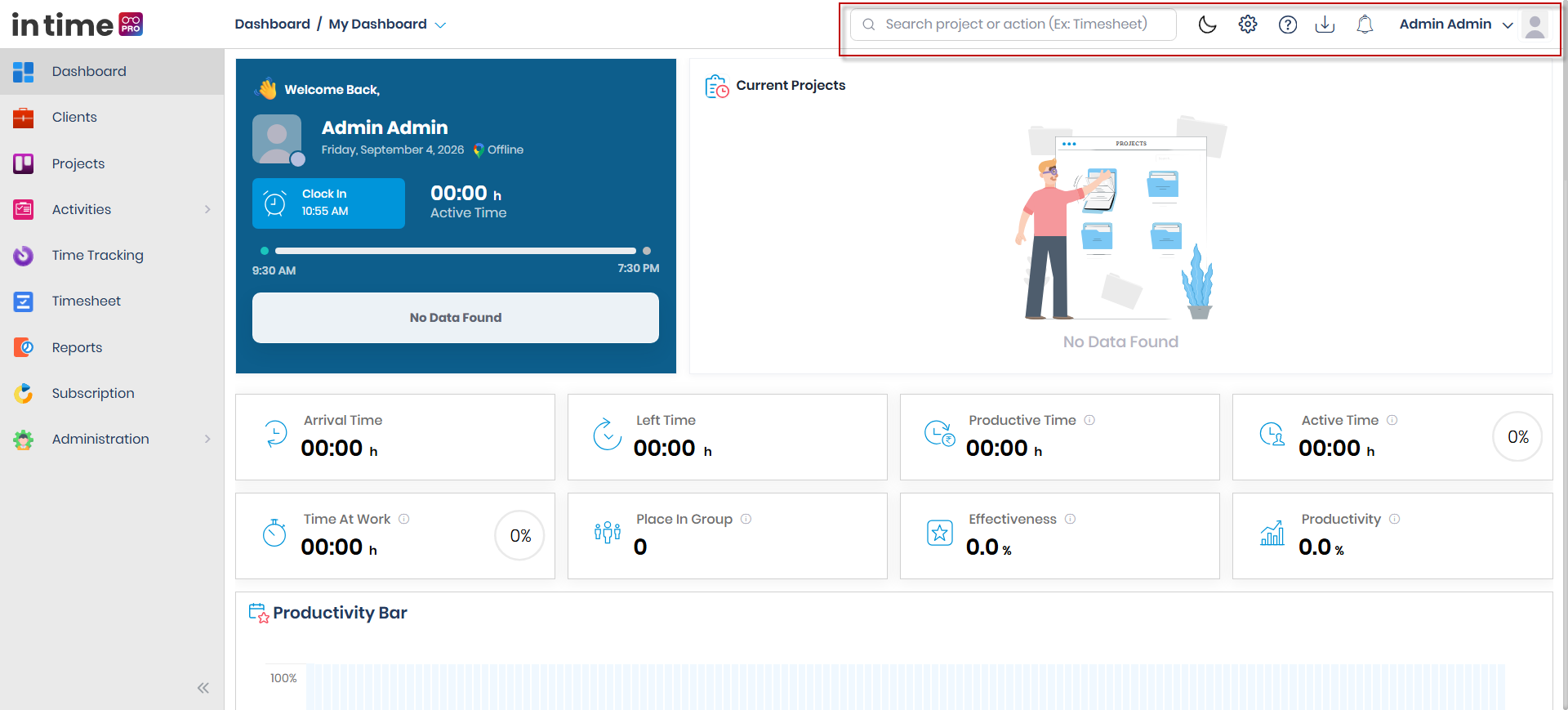
From left to right, the header typically includes:
- Global Search — search for pages, employees, projects, and clients from anywhere in the application.
- Visual theme picker — lets you choose a color theme for the application. This control is not covered on this page.
- Dark / Light Mode — switch the application's appearance between a dark and a light background.
- Settings — access administration areas such as Company Profile and Manage Users. Covered separately in Settings.
- Help — open help and support resources.
- Download — download the desktop or related application.
- Notifications — view recent alerts and updates relevant to you.
- User Profile menu — access your profile, account options, and sign out.
Not everyone sees every control. Settings and Download are not shown to users with the Client role. Help is shown to all users, regardless of role.
Header controls at a glance
| Control | Purpose | Learn more |
|---|---|---|
| Global Search | Quickly find and jump to pages, employees, projects, or clients | Global Search |
| Dark / Light Mode | Switch between a dark and a light appearance | Dark / Light Mode |
| Settings | Open administration areas like Company Profile and Manage Users | Settings |
| Help | Open help and support resources | Help |
| Download | Download the desktop or related application | Download |
| Notifications | View recent alerts and updates | Notifications |
| User Profile | Manage your profile, account options, and sign out | User Profile |
Screenshot: Application Header & Global Controls
The full application header, with Global Search on the left and the Settings, Help, Download, Notifications, and User Profile controls on the right.